Screenshots that explain themselves
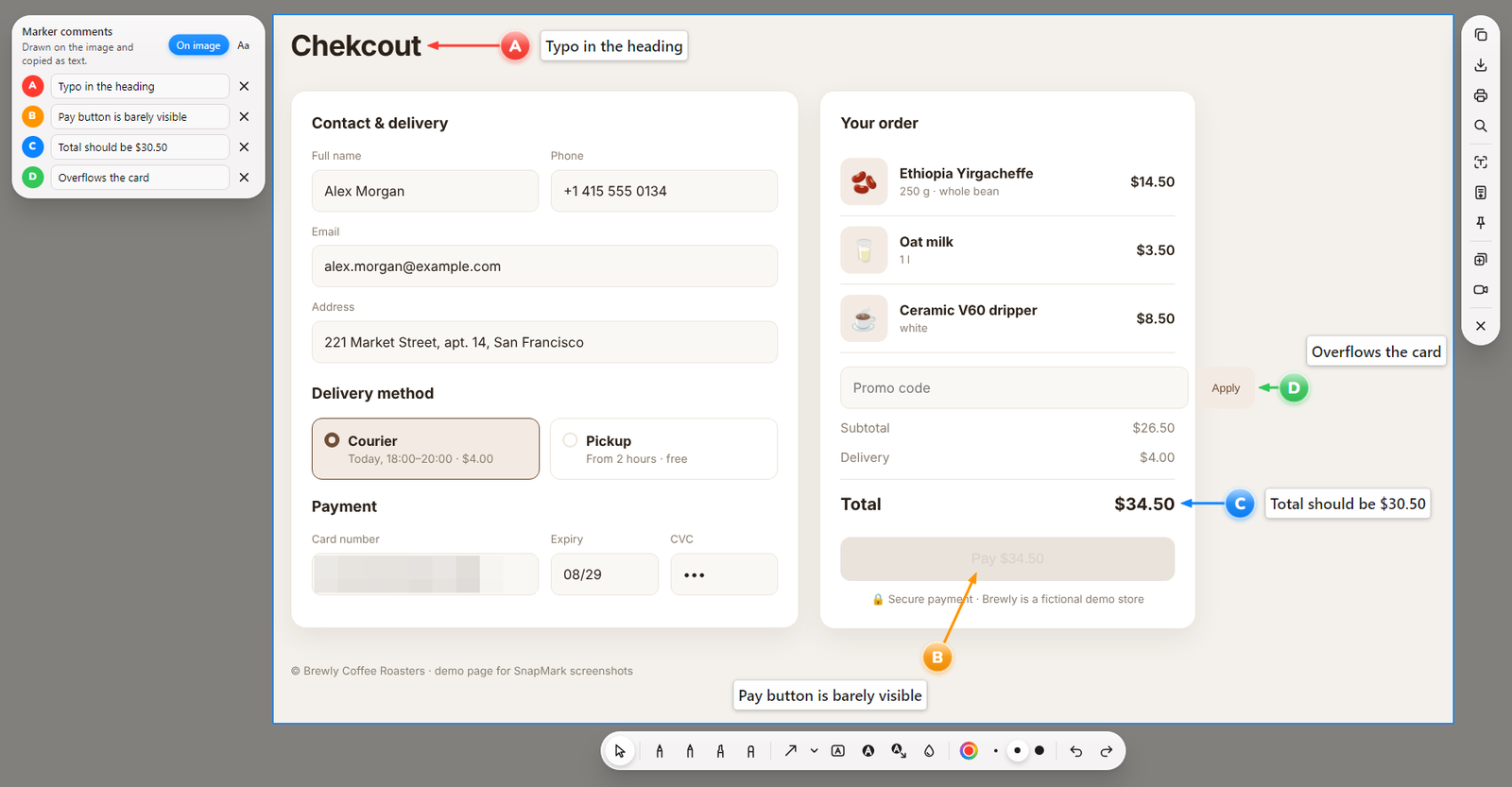
Put A-B-C markers with comments right on a screenshot, copy a whole series with one Ctrl+C — and paste images and text into any chat at once.
Everything for clear feedback
Bug reports, design reviews, instructions, support — without “the button on the left… no, the other one”.
Markers with comments
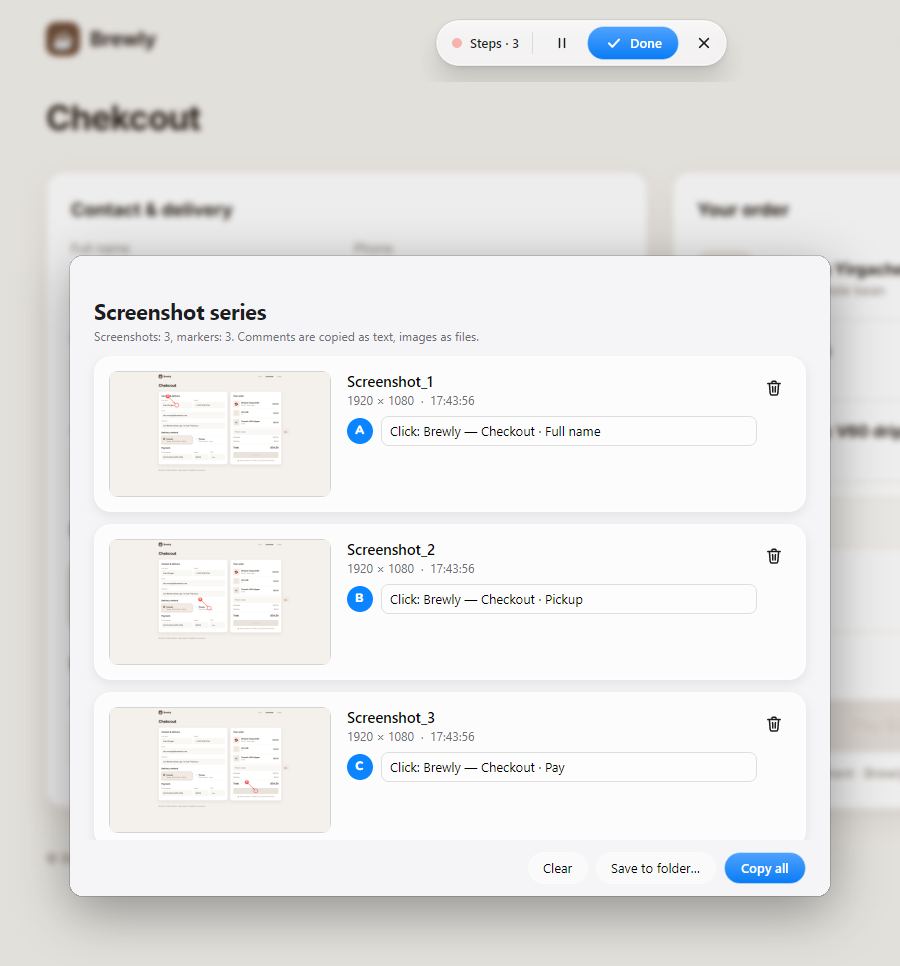
A, B, C or 1, 2, 3 — four shapes in the iOS “Liquid Glass” style or flat, arrows, any colors. Comments become ready-made text.
One Ctrl+C for a series
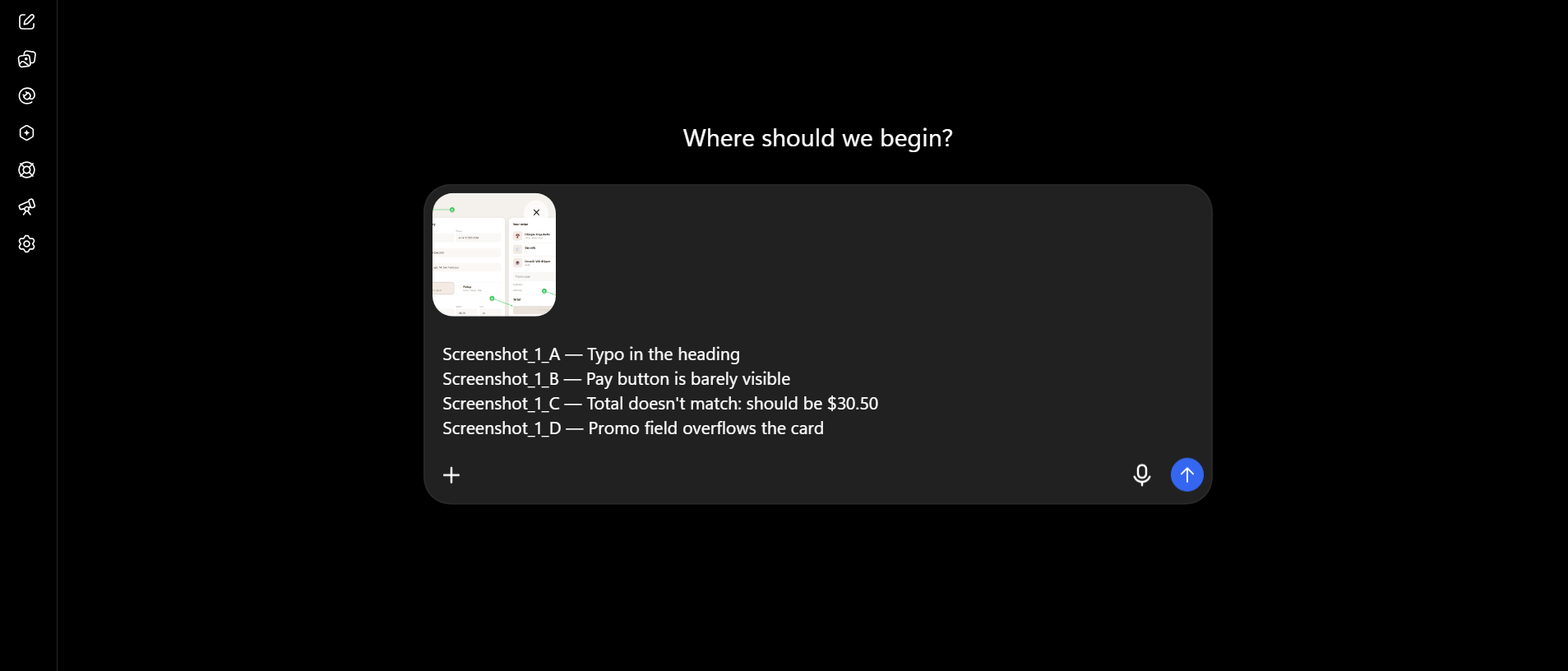
Collect several screenshots and paste images and text together into Telegram, Slack, Jira, Word.
Natural drawing
Pen that reacts to speed and pressure; hold the stroke and it becomes a clean arrow or shape.
Text with style
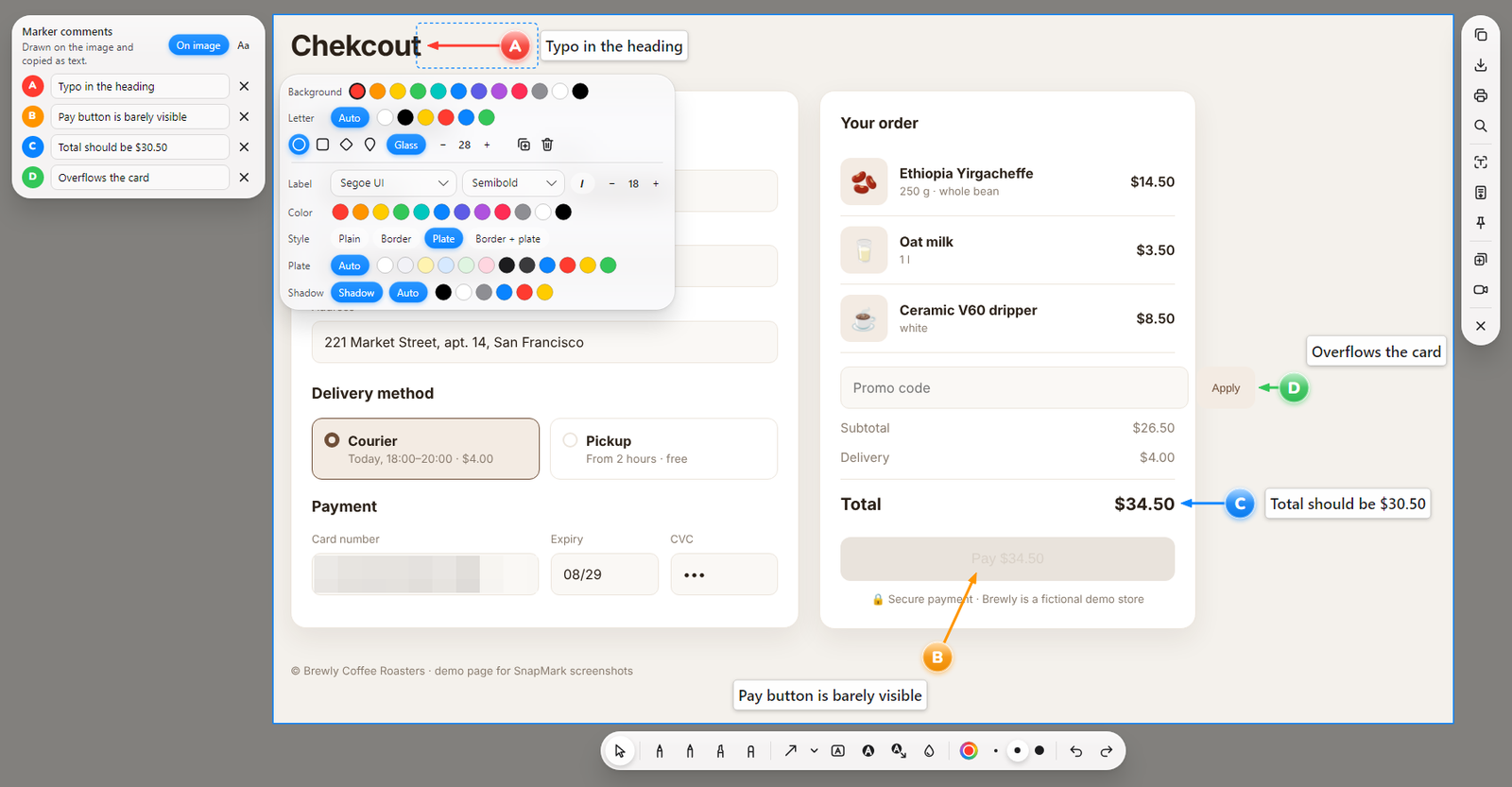
Any font and weight, frames, plates and shadows — each object has its own style panel.
Screen recording
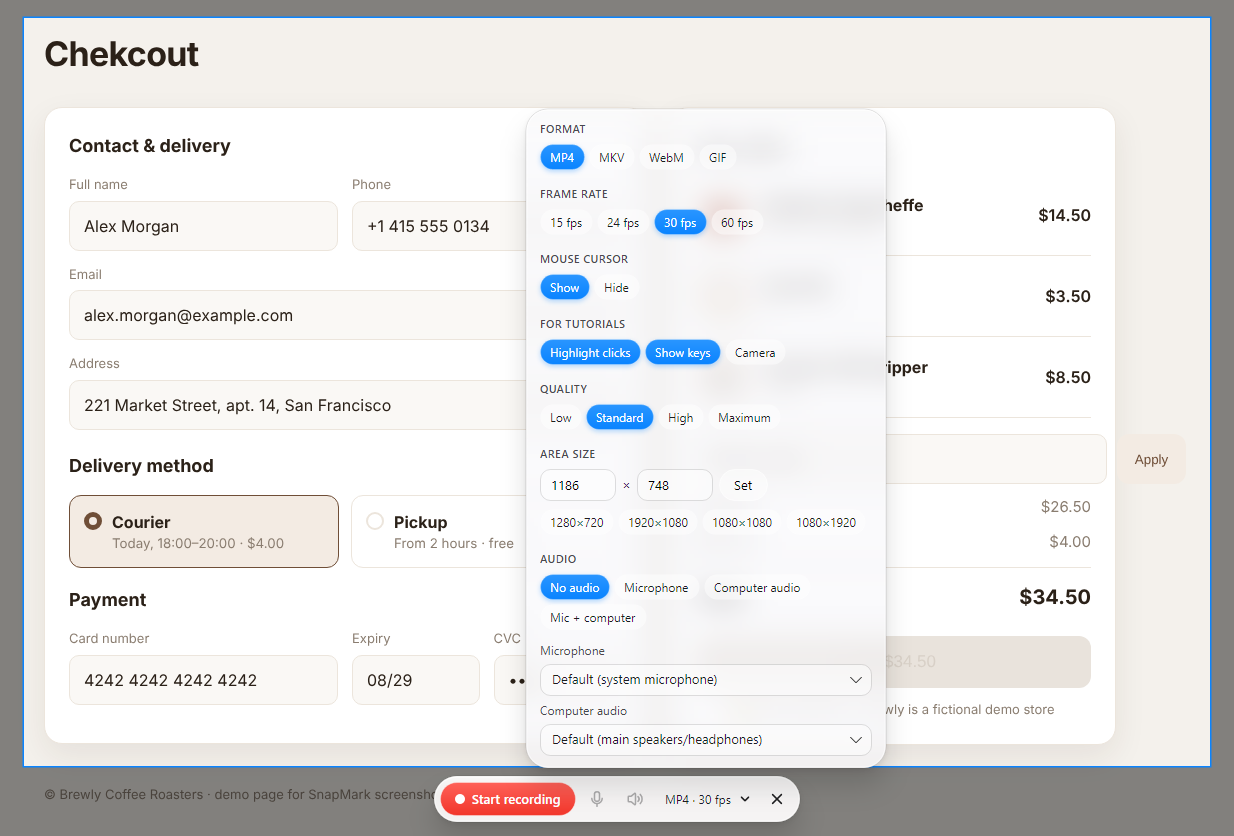
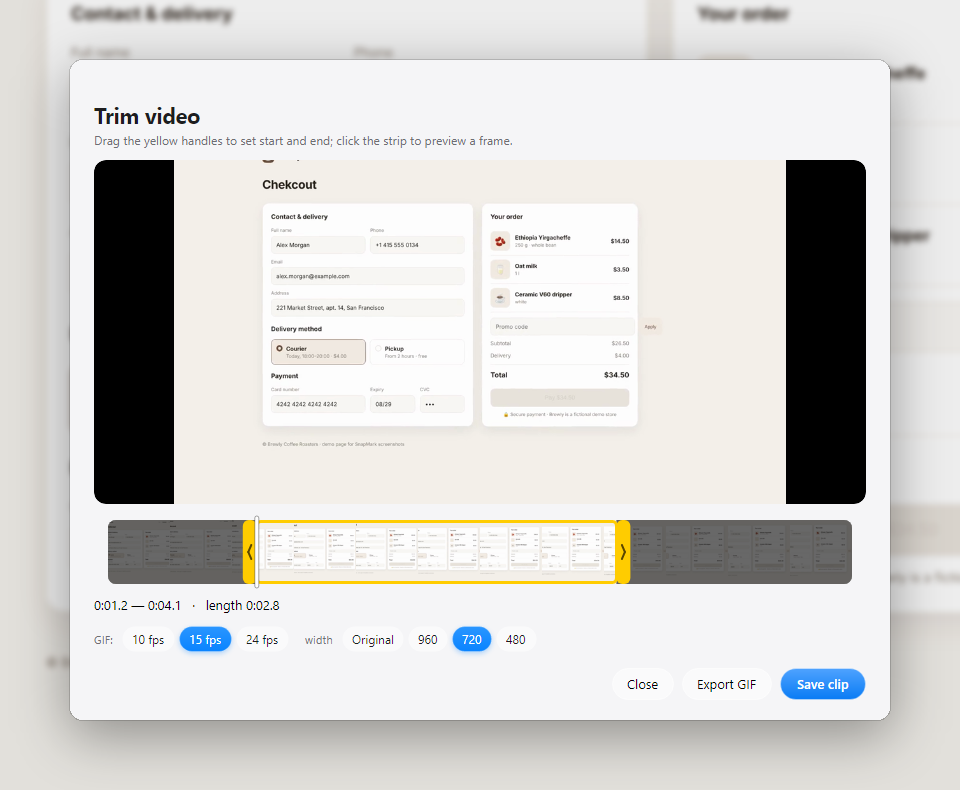
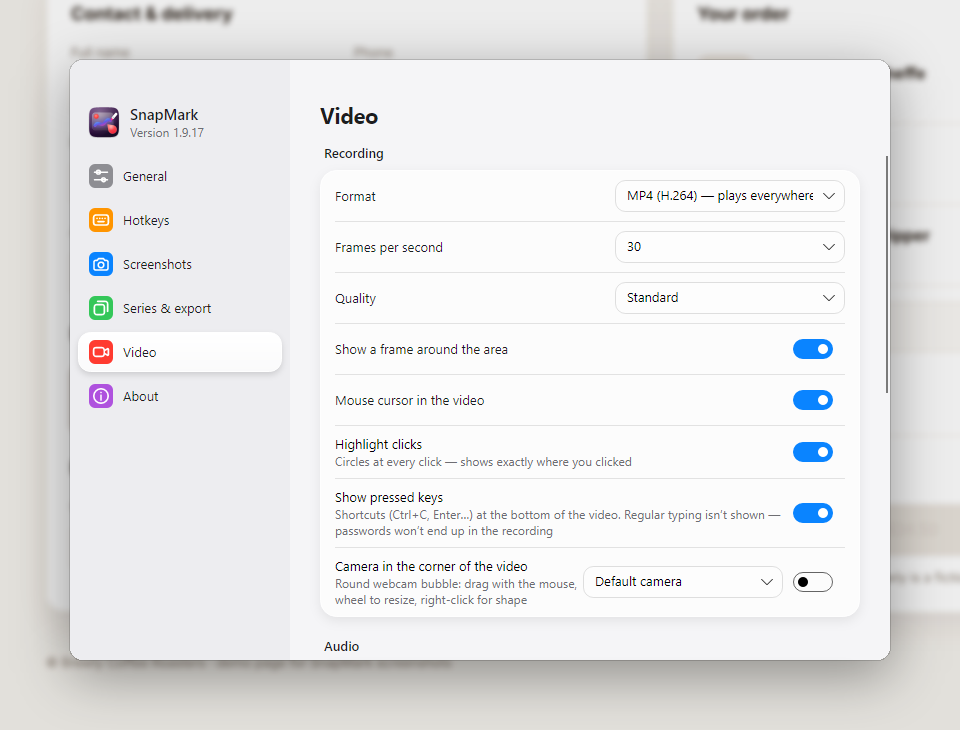
MP4, MKV, WebM or GIF, up to 60 fps, with microphone, computer audio and a webcam bubble. Draw arrows, markers and text live — right in the video. Trim afterwards and export a GIF.
Step-by-step guides
One hotkey and work as usual: every click becomes a screenshot with an A, B, C marker. “Done” — the whole guide pastes with one Ctrl+V.
Text from the screen
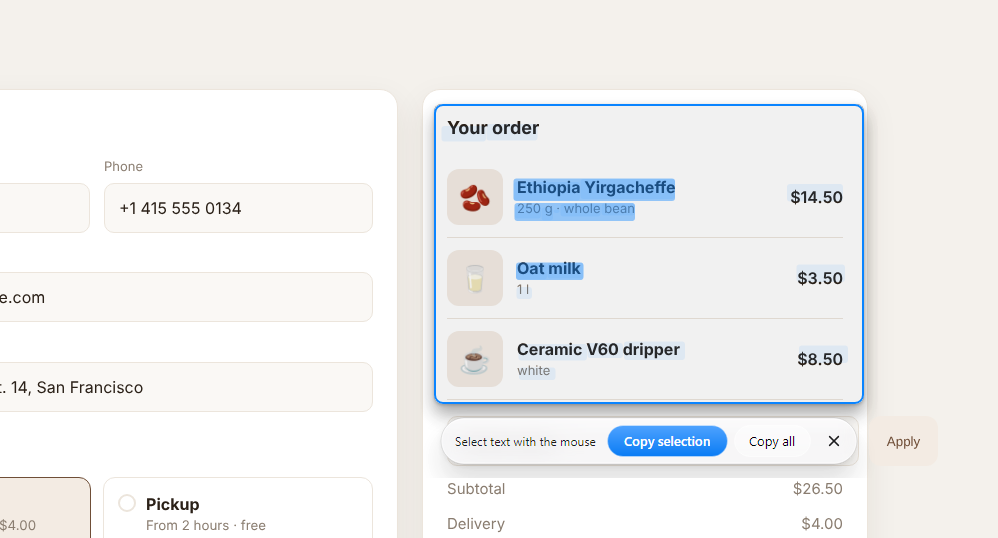
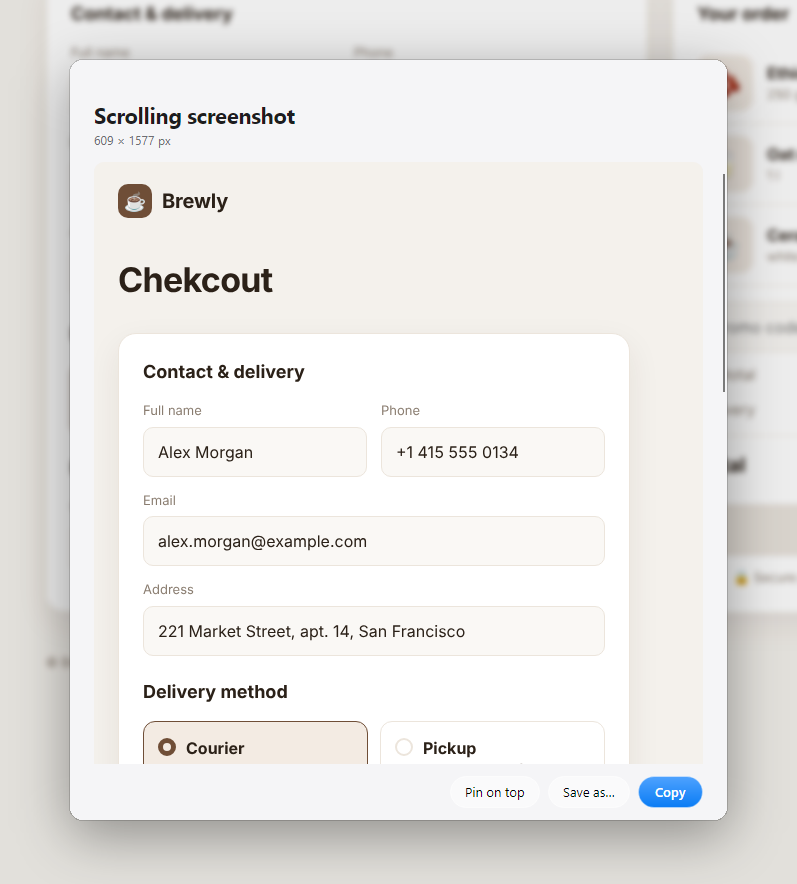
Select an area and its text is on the clipboard — offline. Scrolling screenshots of long pages; pin any screenshot on top of all windows.
Hide private data
Blur or pixelate passwords, emails and faces. In videos — click highlights and shortcut keys for tutorials.
Everywhere
Windows, macOS and Linux. English, Русский, Deutsch, Français, Italiano, Español.
See it in action
Real screenshots, made with SnapMark itself.
Download
Latest version from GitHub Releases.